
Tips to Help you Save on Amazon Prime Day 2020
DISCLAIMER: As an Amazon Associate I earn from qualifying purchases. For more information, please see our Affiliate Disclaimer Page.

Prime Day will be here before you know it.
We want to help get the best deals and help you save money on Amazon Prime Day 2020. We put together these Prime Day 2020 tips to help you get the best Amazon Prime Day deals and also save some money while you are at it!
When is Prime Day 2020?
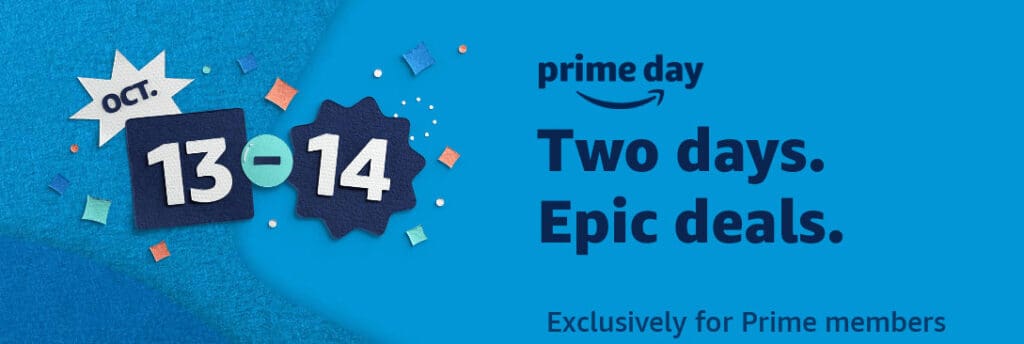
Amazon Prime Day 2020 starts October 13 and runs for two days ending on October 14th.
You still have some time to get together your list of what you are looking for, figure out the budget you have for Prime Day, and do some comparison research ahead of time!
Prime Day 2020 tips to Help You Save
Here are some things you need to do to get ready for Amazon Prime Day.
1. Make a list of what you want to get on Prime Day.
This seems so simple but people often just don’t think about doing it. Making a list will help you keep from compulsive buying. It’s very easy to click add to cart and buy something you just don’t need.
Stick to the list. Mark off each item you find. Think about whether you really need something you have in the cart. Don’t buy something on impulse.
2. Determine what your budget will be for shopping on Prime Day.
Not only is having a list of items you want to purchase important but you need to be able to pay for what you want to purchase. With the economy the way it is right now, you need to make it won’t put you in a financial bind if you decide to shop on Prime Day. If you plan on using credit, you should also make sure that you will be able to pay the credit card payment when it comes due. It’s not worth ruining your credit just to be able to shop on Prime Day.
Once you decide that you are financially okay to shop the deals on Prime Day, then here are some shopping tips we suggest.
3. Get your FREE Amazon Prime Subscription the day before Prime Day.
If you already have a Prime subscription then you can skip this one!
For those who are not members but want to get in on the good deals — Prime Day is a members-only sale. That means you have to have an active Amazon Prime subscription in order to participate in the two-day sale.
Suppose you don’t want to keep the Prime membership after the sale. No problem, you can cancel your membership after 29 days to avoid being billed for the service.
If you decide you want to keep the membership — There are several payment plans available. You can sign up for one-year and pay yearly or you can sign up monthly for $12.99. At the time of this post, Amazon was offering college students a full six-month FREE trial of Amazon Prime and a discounted rate of $6.49 after the trial period.
4. Combine cash-back offers with your Amazon Prime membership.
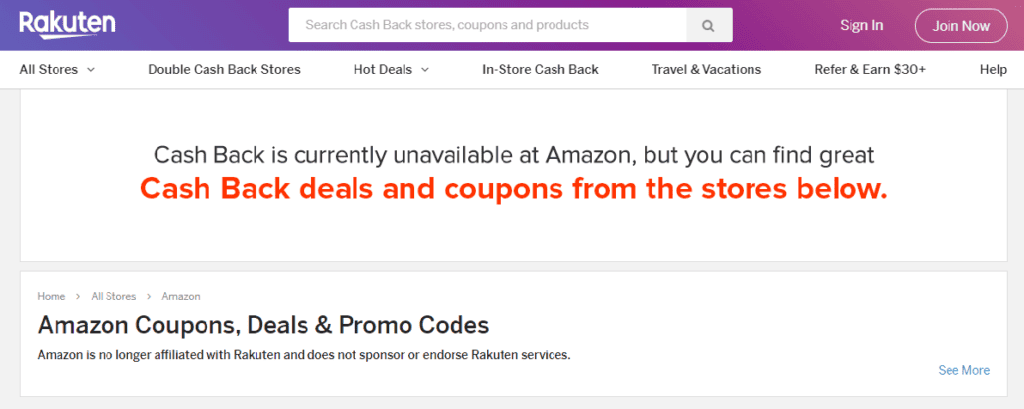
One of my favorite ways to save is to use the cash-back offers of Ibotta and TopCashback. You can score some pretty good savings with these services. Sadly, when we checked Rakuten for Amazon savings deals, we got a message saying that “Cash Back is currently unavailable at Amazon.”
To get started with them, you will need to sign up and make an account with each service. You’ll need to download the Ibotta app to your phone in order to use it. There is also a browser extension available for Ibotta. To use TopCashback you will need to visit their website and search for the deal you want and then click through to it from their site.
5. Get Deal Notifications via the Amazon app.
How many times have you really wanted to take advantage of a good deal only to be too late and it either be sold out or the time expired to order? It’s happened to us more times than we care to count!
Now we get alerts to the deals via the Amazon app that is available for IOS, Android, and Amazon Fire users. Just look for it in the app store for your device.
6. Comparison shop the other stores.
As good as some of the deals will be on Amazon on Prime Day, you may be able to find the items you want a little cheaper on some of the other big name stores. A couple of stores have already announced that they will be hosting their version of Prime Day on or before Amazon’s big sale day.
Walmart’s Big Save event 2020 will take place October 11, 2020 thru October 15, 2020. It will feature savings on home, beauty, fashion, electronics and much more. Shoppers will also be able to get FREE two-day shipping on orders over $35 plus there will be FREE NextDay delivery or in-store pickup on eligible items.
You can go to their Savings Spotlight to see some of the deals they are featuring early!
Target’s Deal Days is scheduled for October 13 and 14, 2020. On the Target website, it says that people who join the Target loyalty program named Target Circle will get access to exclusive deals. These deals have already started being available to Target customers as early as October 5, 2020.
7. Use Google Shopping to compare prices.
Just type in the item you are looking for in the search. Hit enter and it will give you the search results of where the item is on sale and the prices for each store.
8. Join Honey to get notified of lower prices.
Download the Honey app and use Droplist to get notified if there is a price drop in the item you are looking to buy. Honey also lists the price history of products for the last 30 to 120 days.
9. Missed out on a lightning deal? Join the waitlist!
This is a feature that we absolutely love! The Waitlist is available in the Daily Deals or Prime Day deals.
Lightning Deals are time-sensitive and often have only a certain amount available. The items often sell out before the time is up for the deal.
You can join the Waitlist to see if the item is available again during the Lightning Deal timeframe. Sometimes customers put items in their carts during Lightning Deals and then don’t purchase them. It then becomes available to be purchased by someone on the Waitlist.
A couple of things to remember — Just because you join the waitlist does not mean that an item is going to become available again to purchase during the Lightning Deal.
Also, the waitlist expires when the promotion expires and the customers on the waitlist lose their chance to buy the Lightning Deal.
To learn more about joining a Lightning Deal waitlist, visit this Amazon.com Help page.
10. Use Alexa to sign up for Prime.
If you’re not already a Prime member, Just say “Alexa, sign me up for Prime”. By using Alexa to sign up for Prime, you can earn $5 to spend on Prime Day.
These are just a few of the tips we have used in the past to get the most out of Prime Day. We will be posting sales throughout Prime Day so check back often.
Happy Shopping!